GoalCodex
Documentation

How to Use GoalCodex

A complete walkthrough of every feature on the site — from searching to comparing, filtering, and beyond.

1

The navigation bar

The navigation bar at the top of every page is your main way to move around GoalCodex.

GoalCodex navigation bar showing Explore, Records, H2H, Compare, Pricing, Guide, FAQ, search, Sign In, and Get Started
  • Explore — jump to the player, team, organisation, or country browse pages.
  • Records — goes to the all-time and filtered top scorers and assisters leaderboard.
  • H2H — goes to the Head-to-Head tool where you can look up the full record between any two teams.
  • Compare — goes to the standalone side-by-side stats comparison tool.
  • Pricing — see the Free, Fan, and Pro plans and what each one unlocks.
  • Guide — brings you back to this page.
  • FAQ — answers to common questions about the data and the site.
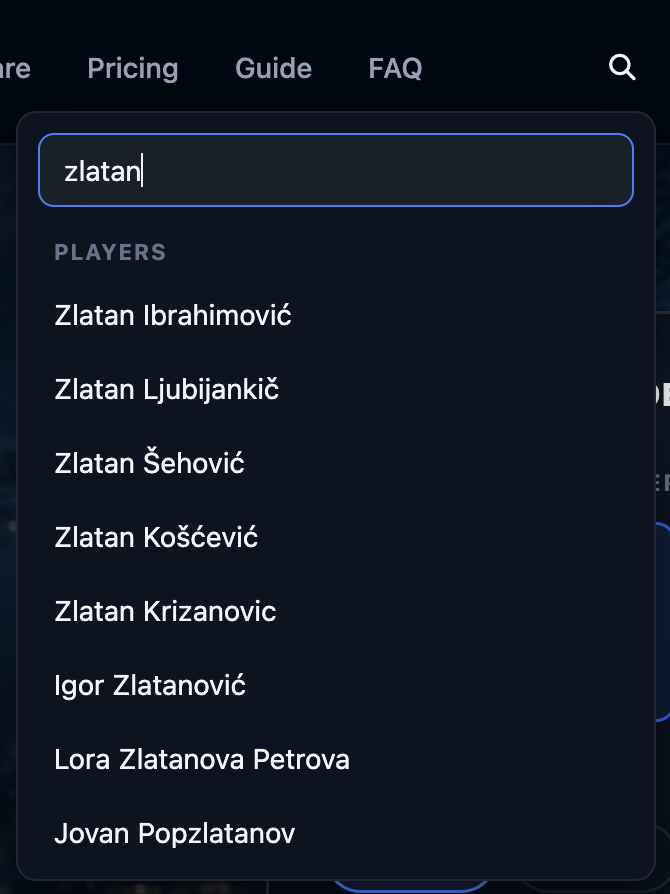
  • Search icon — opens a global search to find players and teams from any page.
  • Heart icon — opens your My Favourites panel (once signed in).
  • Sign In / Get Started — log in to an existing account or create a free one. Once signed in, this becomes your account name and a sign-out button.
3

Player goal pages

A player's page shows their complete career goal record, with powerful filtering tools to narrow down exactly what you want to see.
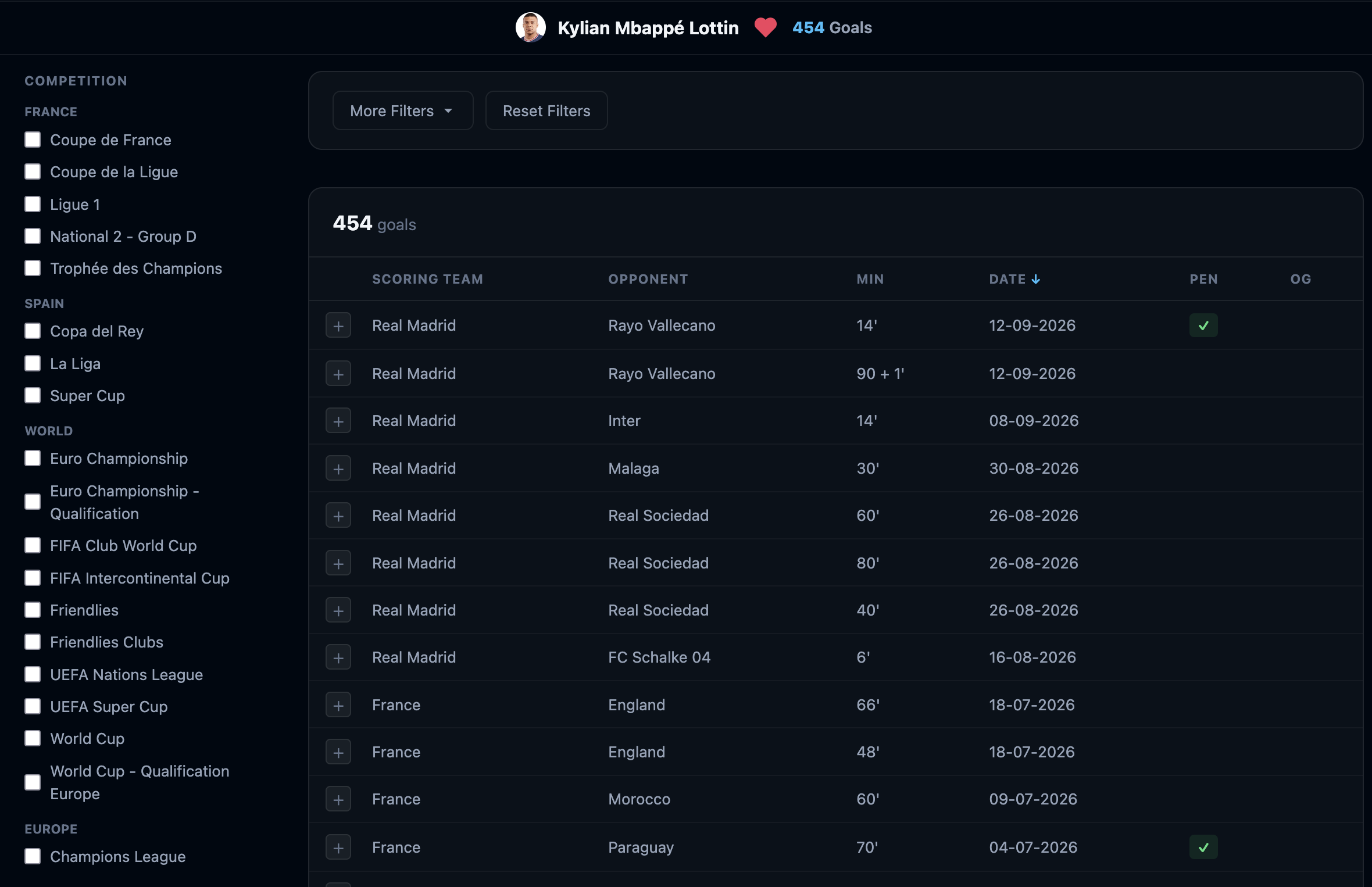
Player goals page showing competition sidebar, filter bar, and goal table
  • Goals chart — a bar chart at the top shows goals by season at a glance.
  • Left sidebar — tick any competition or organisation to filter the goal list. You can tick multiple at once.
  • Filter bar — quick-access chips for season, goal type (penalty, own goal), venue (home/away), match period, and more.
  • Goal table — each row is one goal: date, opponent, competition, minute, and assist player where available.
4

Filtering goals

Filters can be stacked freely — the goal list updates in real time as you add or remove each one.
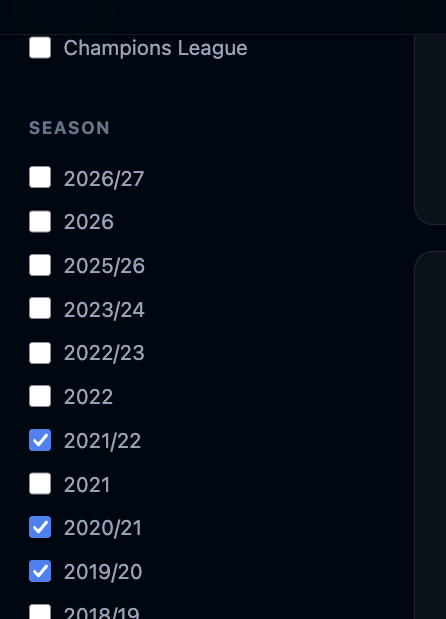
Selecting seasons
Season filter list with 2021/22, 2020/21, and 2019/20 all ticked

GoalCodex tracks both cross-year seasons (e.g. 2024/25) and calendar-year seasons (e.g. 2024). You can select multiple at once — useful when you want to see a player's domestic season goals alongside an international tournament in the same calendar year.
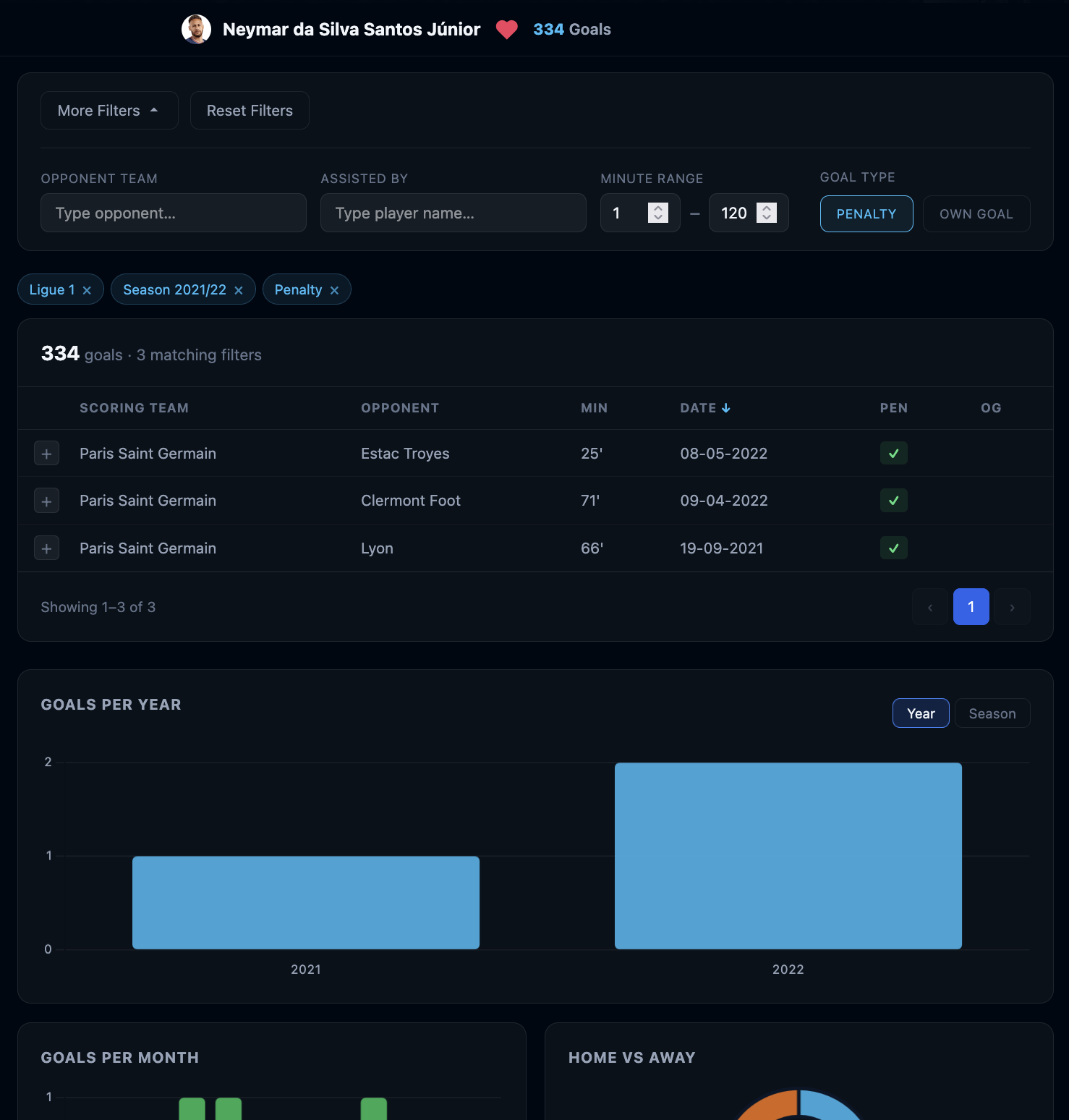
Active filter chips
Filter chips showing Ligue 1, Season 2021/22, and Penalty active, with the More Filters panel expanded and a Goals-per-Year chart below

Every active filter appears as a chip. Click the × on any chip to remove just that filter. Use Clear all to reset everything. Advanced filters are available to Fan and Pro subscribers.

5

Comparing players

Compare any two players' career statistics side by side, directly from a player's goals page or from the dedicated Compare tool.
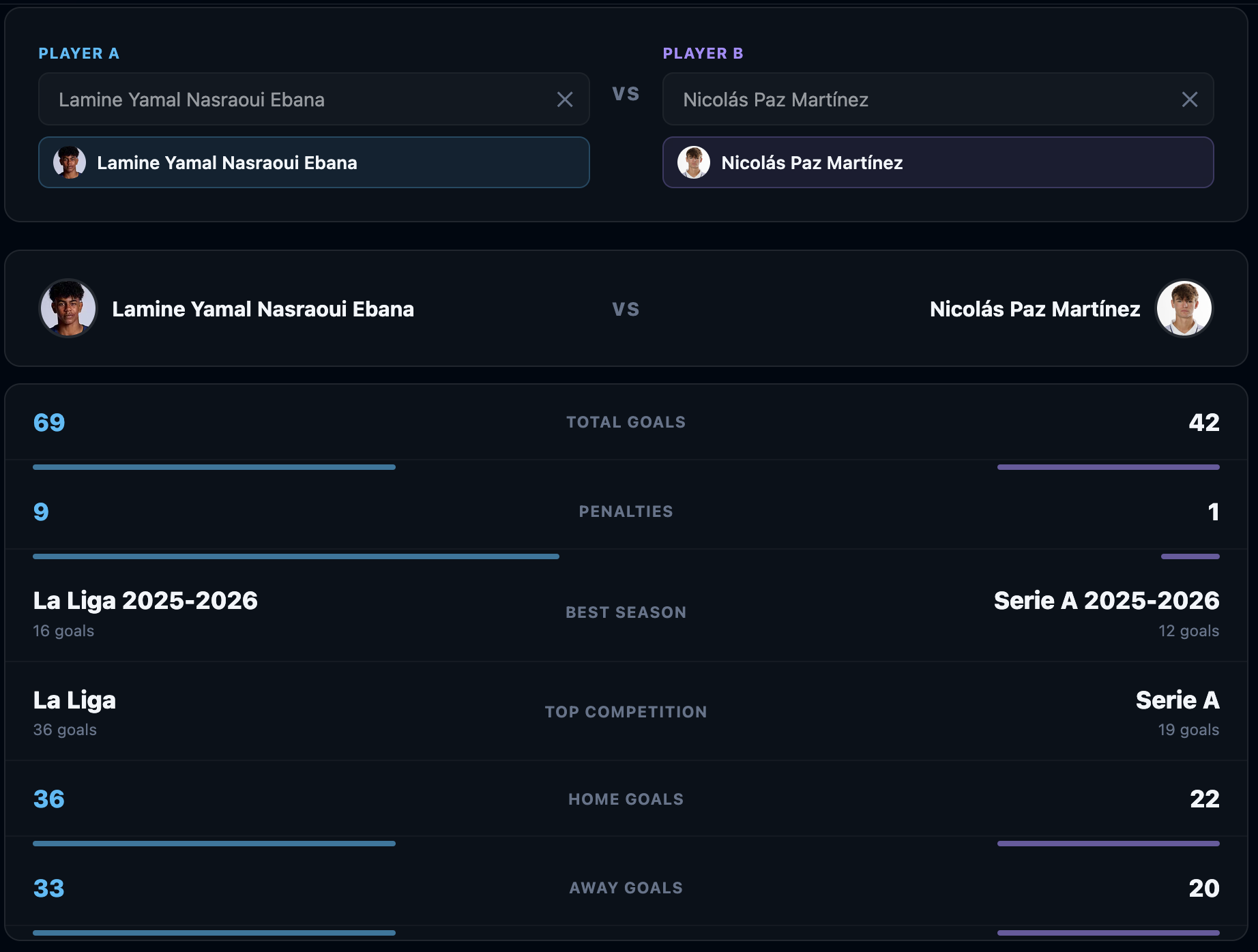
Lamine Yamal vs Nicolás Paz comparison table with career stats side by side
  • Use the compare panel and type a name — results show photos for easy identification.
  • A stats table appears with both players' career totals: goals, penalties, best year, best season, top competition, home goals, and away goals.
  • The higher value in each row is highlighted in blue.
6

Comparing teams

The same compare feature is available on team pages — search for any other team from the compare panel to see their stats side by side. The table shows total goals, penalties, best year, best season, top competition, home goals, and away goals.
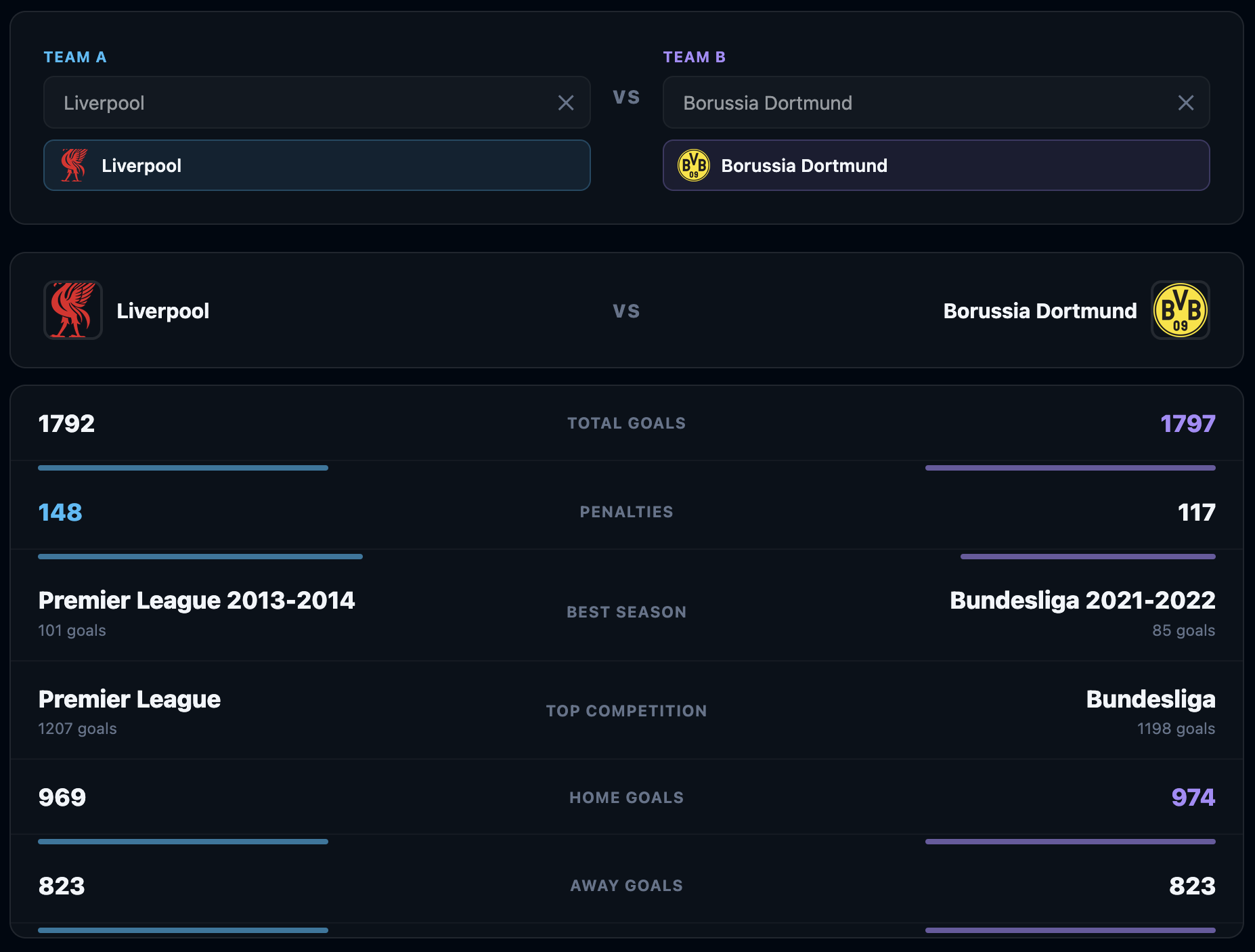
Liverpool vs Borussia Dortmund stats comparison

Scroll down for goals-per-year and goals-per-month charts comparing both teams' scoring trends over time.
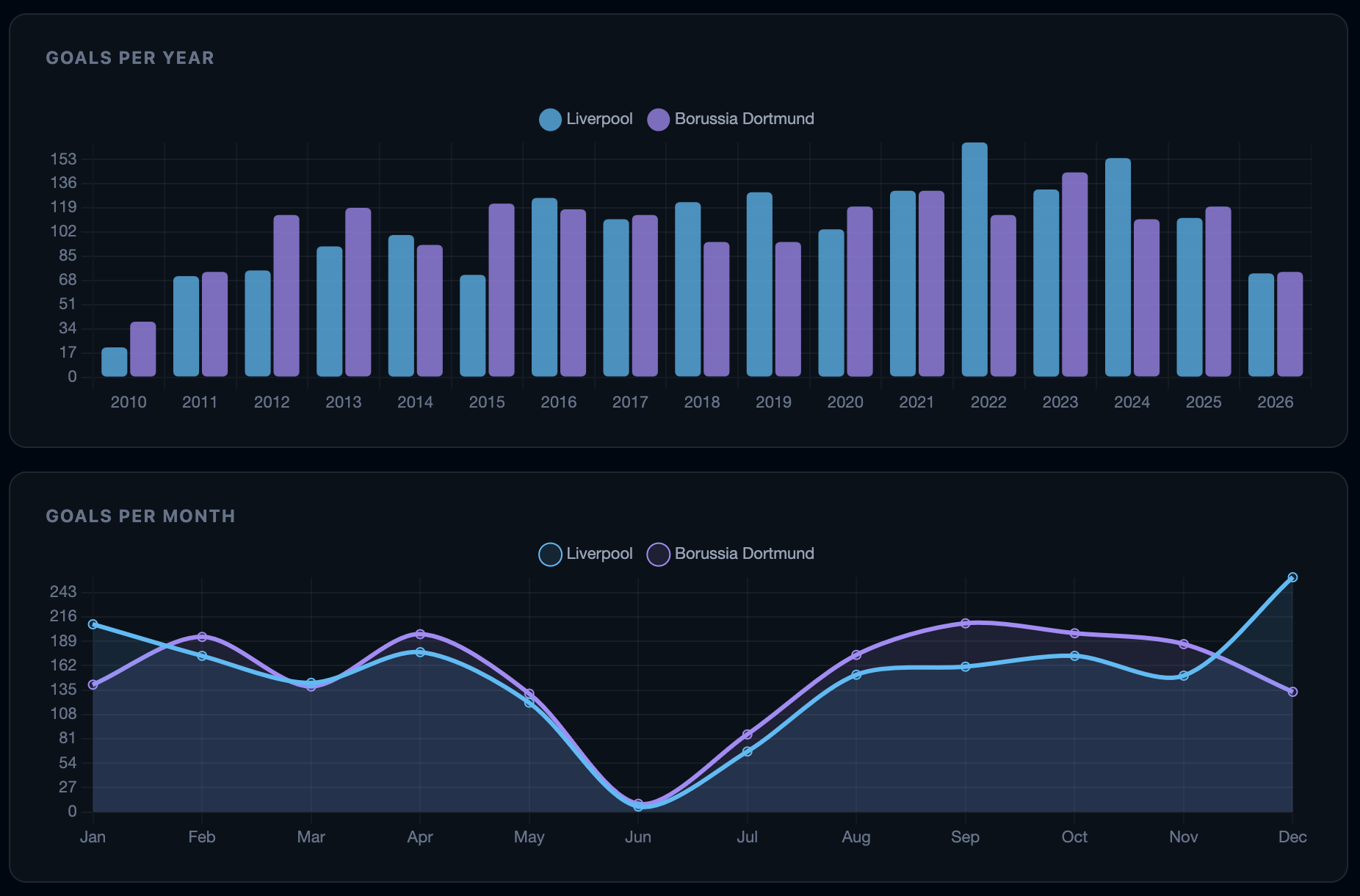
Goals per year and goals per month charts comparing Liverpool and Borussia Dortmund
7

Head-to-Head (H2H)

The H2H tool shows the complete historical record between any two teams — every match they've played against each other in the database.
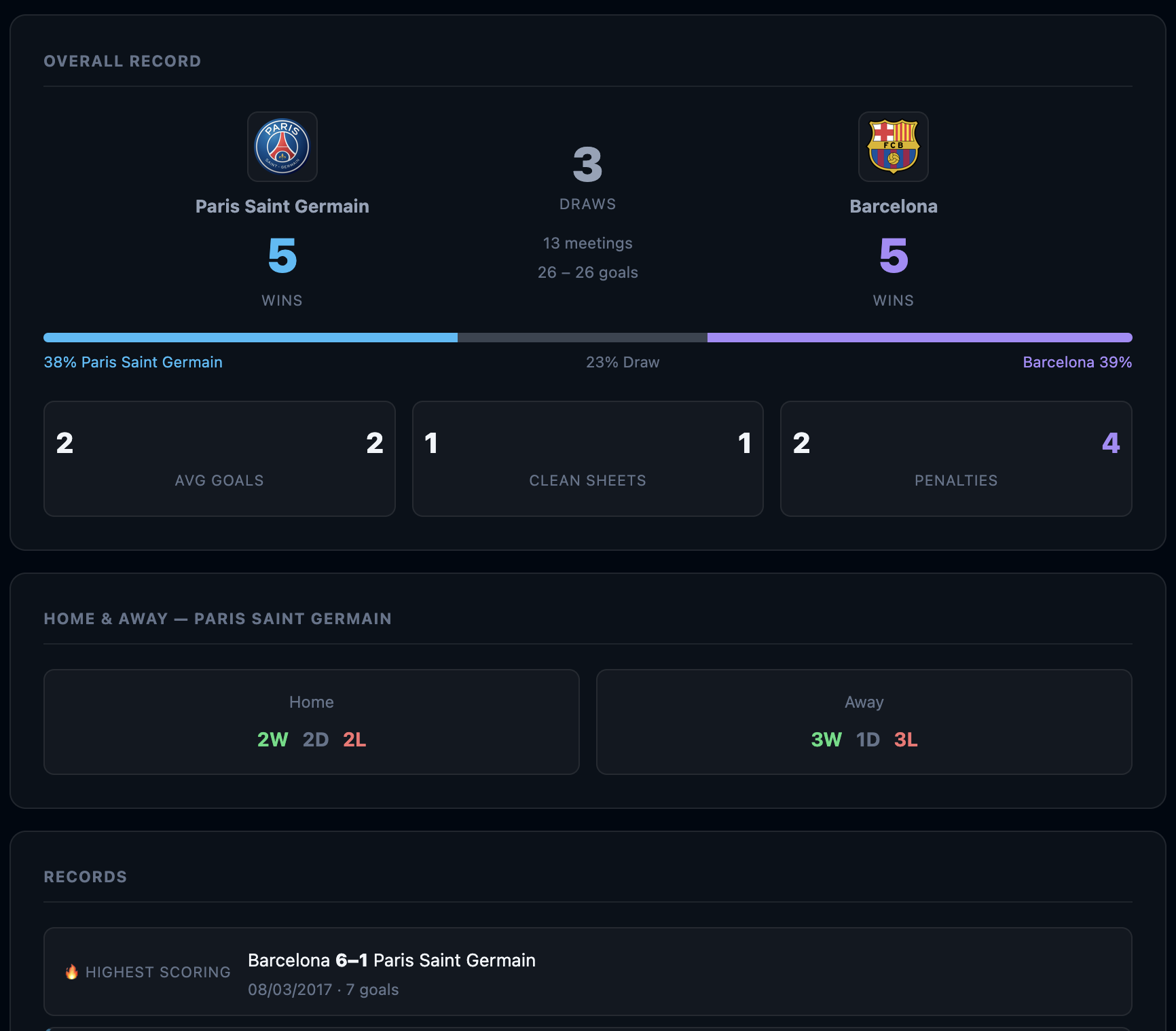
Head-to-Head page showing Paris Saint Germain vs Barcelona with win/draw/loss scoreboard and stat cards
  • Search for Team A and Team B using the two search boxes. Team logos appear once a team is selected.
  • The scoreboard shows total wins, draws, and combined goals across all meetings.
  • The coloured bar visualises the win percentage — blue for Team A, grey for draws, pink for Team B.
  • Stat cards show average goals per game, clean sheets, and penalty counts in these fixtures.
  • Scroll down to see every individual match with results and scorers.
8

Records

The Records page ranks the top scorers and top assisters across the entire database, with filters to focus on a specific competition or year.
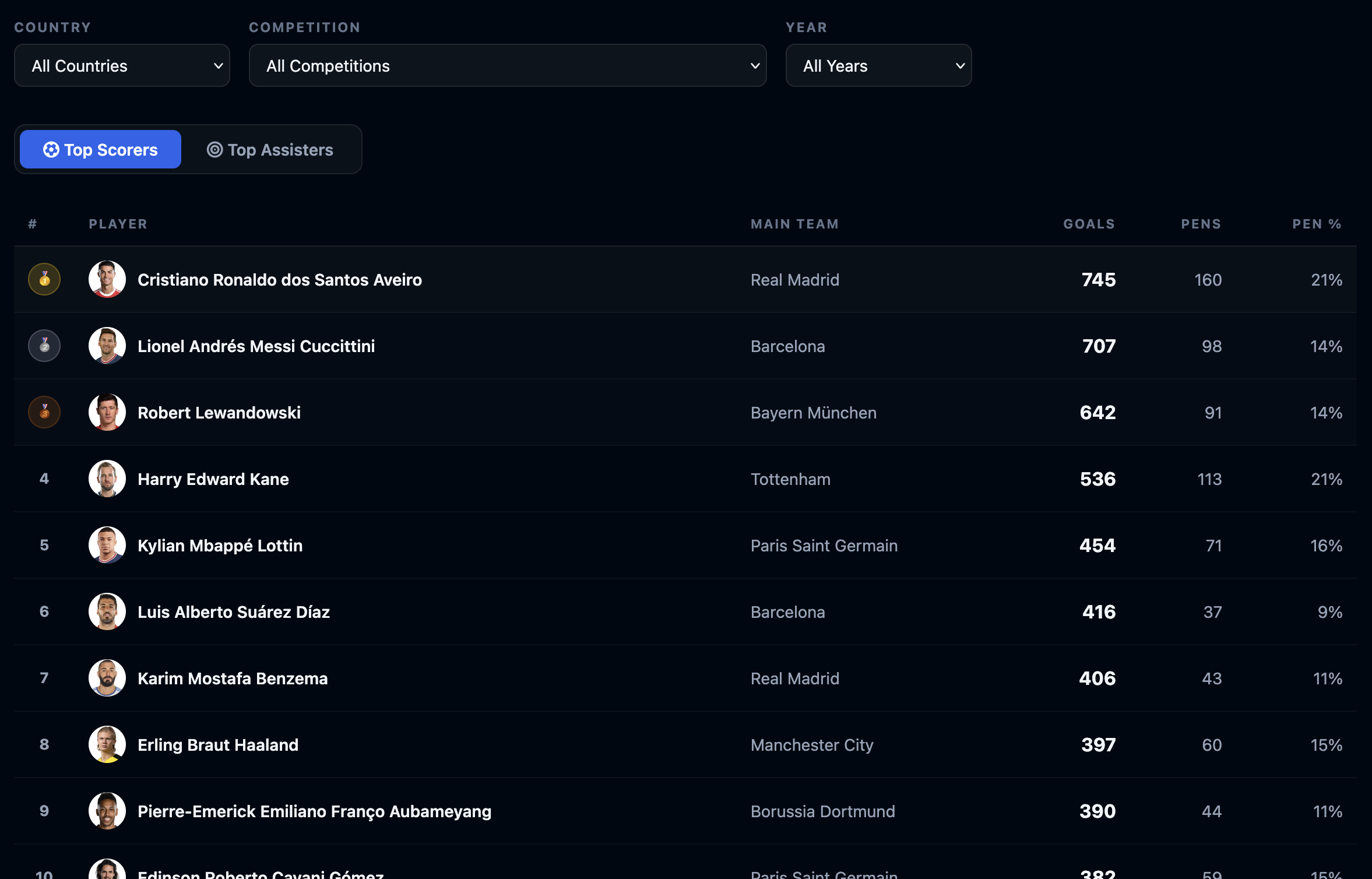
Records page showing top scorers leaderboard with gold, silver, bronze medals
  • Switch between Top Scorers and Top Assisters using the tabs.
  • Filter by Country, Competition, and Year.
  • Gold, silver, and bronze medals highlight the top three in each leaderboard.
  • Click any player's name to go to their full goals page.
9

My Favourites

Save the players and teams you follow most often for one-click access from any page on the site.
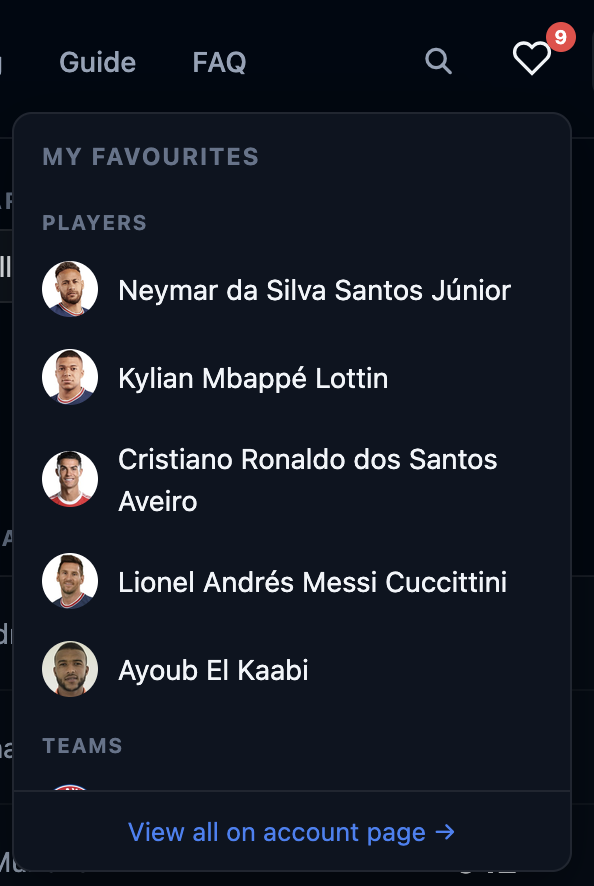
Favourites panel showing saved players with photos
  • Click the heart icon in the top navigation to open the panel.
  • Players and teams are listed separately, each with a photo or club crest.
  • Click any name to go straight to their goals page.
  • To add a new favourite, click the heart icon on any player or team page.
Favourites require a free account. Create one here →
👑
Go further with GoalCodex Pro
Advanced filters Full match history CSV export AI assistant No ads
View Plans →